













Log In to Boo Casino and Start Playing Now
How to Log In to Your Boo Casino Account Quickly and Securely
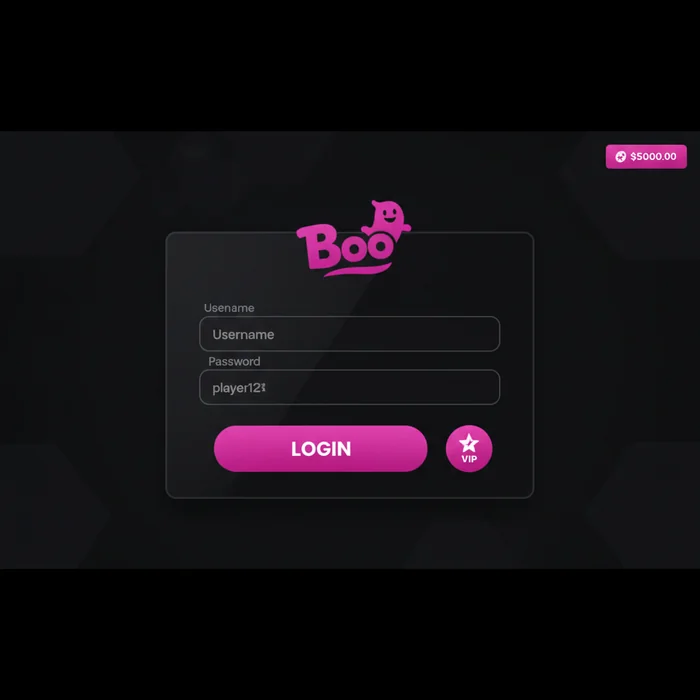
Ready to jump back into your games? The Boo login process is designed to get you from your home screen to the casino floor in under 30 seconds — whether you're on a desktop browser in Toronto or loading up on 4G during your commute. We understand that every extra tap is a moment of friction you don't need, so we've kept the sign-in flow as clean and direct as possible.
Once you're signed in, your full account dashboard opens immediately: your current balance, active bonus progress, recently played games, and any pending promotions like our welcome offer of 100% up to C$100 plus 50 free spins. Everything is one tap away, not buried three menus deep.
Finding the Login Button and Entering Your Credentials
Visit boocanada.com on any browser — Chrome, Safari, Firefox — and the Sign In button sits in the top-right corner of every page. On mobile, it remains pinned to the header even as you scroll, so you never have to hunt for it. Tap it once and a compact login overlay appears without redirecting you to a separate page.
Enter the email address tied to your Boo Casino account and your password. If you registered with a Canadian Interac e-Transfer deposit, your account is linked to the same email you provided at sign-up — there's no separate username to remember. The form auto-fills on most modern iOS and Android devices if you've saved credentials to your browser or password manager.
After submitting, the platform authenticates your session and loads your personal dashboard. If you have two-factor authentication (2FA) enabled, you'll see a prompt for your verification code before the dashboard appears — more on that in the security section below.
Staying Logged In Safely on Personal Devices
On your own phone or tablet, use the Remember Me checkbox on the login screen. This keeps your session active for up to 14 days without requiring you to re-enter credentials each visit. It's a meaningful convenience on mobile, where typing passwords on a small keyboard adds unnecessary friction.
For even faster re-entry, the Boo app supports biometric authentication — Face ID on compatible iPhones and fingerprint unlock on Android devices. Once set up, a single glance or touch replaces your password entirely. We strongly recommend enabling this on personal devices; it's both faster and more secure than a typed password on a touchscreen.
One important boundary: never enable Remember Me on a shared device, a hotel tablet, or a public computer. A session left open on shared hardware is one of the most common ways accounts get compromised. On any device that isn't exclusively yours, log out manually after every session using the account menu in the top-right corner.
Troubleshooting Failed Login Attempts at Boo Casino
A failed login is frustrating, especially when you're mid-session on mobile and the game you want is right there. Most access problems fall into one of three categories, and each has a clear resolution path. Let's work through them so you're back inside your account as quickly as possible.
What to Do If You Have Forgotten Your Password
Tap Forgot Password? directly below the login fields — it's visible on both the desktop overlay and the mobile login screen. You'll be asked to enter the email address registered to your Boo Casino account. A reset link is sent within 2–5 minutes under normal server load; during peak evening hours it may take up to 10 minutes.
- Enter your registered email and tap Send Reset Link.
- Check your inbox — including your spam or junk folder, since automated emails occasionally get filtered by Canadian ISPs.
- Click the reset link within 60 minutes — it expires after that window for security reasons.
- Choose a new password (minimum 8 characters, at least one number and one special character), confirm it, and save. You'll be logged in automatically.
If the reset email hasn't arrived after 15 minutes, first confirm the address you entered matches your registration email exactly — a single character difference means the email goes nowhere. If the address is correct and nothing arrives, contact our support team via live chat (available 10am–11:30pm ET) and we'll verify your account manually.
Resolving Account Lock-Outs and Access Restrictions
After 5 consecutive failed login attempts, your Boo Casino account enters a temporary lock state. This is a standard security measure — it prevents brute-force attacks on your account. The lockout period is 30 minutes, after which you can attempt login again automatically with no action required on your part.
If you need access before the 30-minute window expires, reach our support team via live chat. After verifying your identity (typically by confirming your registered email, date of birth, and last deposit method), an agent can lift the lock manually — resolution usually takes under 5 minutes during staffed hours.
A different type of restriction applies if your account has been flagged during a KYC (Know Your Customer) review. In this case, you can still log in but certain functions — withdrawals, bonus activation — are paused until verification documents are submitted. This is not a lock-out; it's a compliance hold, and uploading a valid government-issued ID through the account verification section resolves it in most cases within 24–48 hours.
Password Reset Process and Account Recovery Options
Beyond the standard forgot-password flow, there are situations where account recovery requires a more involved process — particularly if your registered email is no longer accessible or if your 2FA device has changed. We've built clear pathways for both, because locking players out permanently is never acceptable.
Using Email Verification to Regain Account Access
The email verification reset is the fastest recovery route and works for the majority of cases. The reset link delivered to your inbox is single-use and time-limited to 60 minutes — this prevents old reset links from being exploited if your email is later compromised. Once you click the link, you're taken directly to a secure password creation screen hosted on our MGA-licensed infrastructure.
If your registered email address is no longer active — for example, you've changed providers or your old address was closed — email-based recovery won't work. In this case, contact our support team via email at the address listed in the Help section. You'll need to provide: your full name as registered, your date of birth, your last known deposit amount in C$, and the payment method used. This manual identity check typically resolves within 1–2 business days.
For players who enabled 2FA and have lost access to their authenticator app or changed phones, recovery requires contacting support directly. We cannot bypass 2FA automatically — this protects you from social engineering attacks. Provide the same identity verification details listed above, and our team will disable 2FA on your account so you can log in and re-configure it on your new device. Typical resolution: same business day during staffed hours (10am–11:30pm).
| Login Method | Availability | Security Level |
|---|---|---|
| Email + Password | All devices | Standard |
| Email + Password + 2FA | All devices | High |
| Mobile browser (saved credentials) | iOS Safari, Chrome Android | Standard |
| Biometric (Face ID / Fingerprint) | Boo Casino app on iOS & Android | High |
| Remember Me session token | Personal devices only | Moderate (personal device only) |
Security Measures Protecting Your Boo Casino Login
We take account security seriously — not as a compliance checkbox, but because your funds and personal data deserve real protection. Boo Casino holds a licence from the Malta Gaming Authority (MGA), one of the most stringent regulatory bodies in online gambling. MGA compliance mandates specific technical standards for data handling, session management, and player fund segregation that go well beyond what many offshore operators implement.
SSL Encryption and MGA Compliance for Safe Sessions
Every connection to boocanada.com — including the login page, game sessions, and payment flows — is protected by 256-bit SSL encryption. This means your credentials and session data are encrypted in transit and cannot be intercepted on public Wi-Fi networks, which is particularly relevant for Canadian players logging in from coffee shops, airports, or university campuses.
Our MGA licence (a regulator that Ontario's iGaming framework recognizes as a benchmark for international operators) requires us to maintain segregated player funds — your deposited C$ balance is held separately from operational funds. This has no direct impact on login, but it's worth knowing: the same regulatory framework that protects your money also governs how we handle your account data.
Session tokens expire automatically after a period of inactivity — typically 60 minutes on desktop, 30 minutes on mobile — to prevent unauthorized access if you step away from your device. You'll be prompted to re-authenticate rather than finding your session still open hours later.
Tips for Creating a Strong Password and Avoiding Phishing
Your Boo Casino password should be at least 12 characters and include a mix of uppercase, lowercase, numbers, and symbols. Avoid anything tied to public information — your name, birthdate, or city. A password manager like Bitwarden or 1Password generates and stores complex passwords so you never have to memorize them, and both work seamlessly with mobile browsers and the Boo Casino app's biometric login.
Canadian players should also be aware of province-specific self-exclusion tools. Ontario players can register with iGaming Ontario's self-exclusion program; BC residents have access to GameSense through BCLC; Quebec players can use Mise-o-jeu. These programs work independently of your Boo Casino account — registering with one does not automatically close your account here, so if you want exclusion to apply on our platform as well, contact our support team to activate our internal responsible gambling tools simultaneously. The national helpline for gambling concerns in Canada is 1-866-531-2600 (ConnexOntario) for Ontario residents; other provinces have equivalent services listed on their respective gaming authority websites.
Enable 2FA from your account security settings — it takes under 2 minutes to set up using any TOTP authenticator app (Google Authenticator, Authy). Once active, even if someone obtains your password, they cannot access your account without the rotating 6-digit code from your phone. For Canadian players who primarily use Interac e-Transfer for deposits, 2FA adds a critical second layer of protection given that Interac transactions are linked directly to your bank account.
Log In to Boo Casino and Start Playing
Getting into your account should never be the hard part — and with the steps above, it won't be. Whether you're using biometric login through the Boo app, saving credentials in your mobile browser, or working through a password reset, every pathway leads back to your games quickly and securely.
New to the platform? Create your Boo account today and claim your first deposit bonus of 100% up to C$100 plus 50 free spins — a C$20 minimum deposit is all it takes to get started. Don't wait until the offer changes; limited-time promotions rotate regularly and the current welcome package won't be available indefinitely. Act now and make your first session count.
Already have an account? Head straight to the Boo sign in page and you're one tap away from Evolution Gaming's live tables, Betsoft slots, and everything else Casino Boo has ready for you right now.